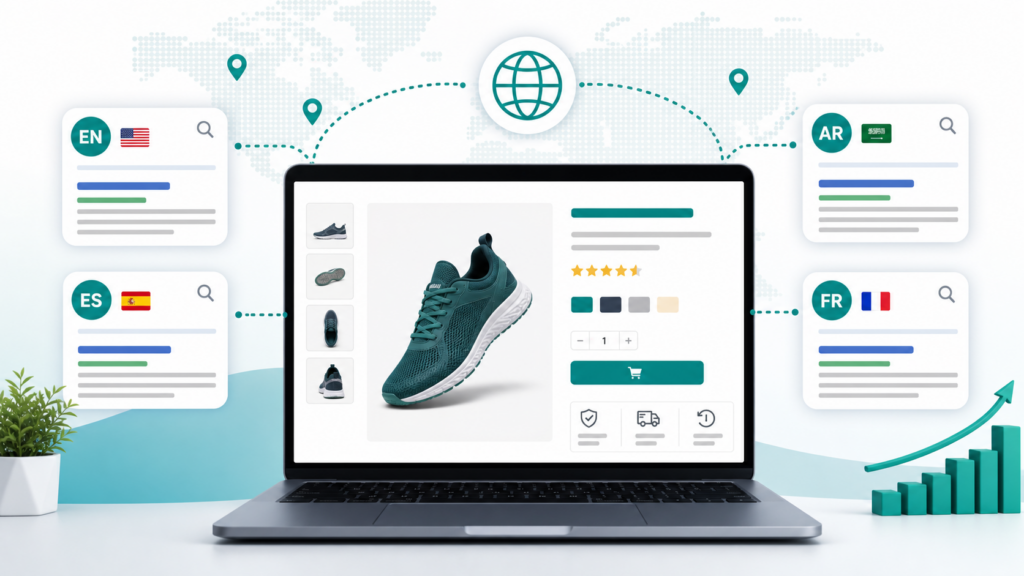
Hreflang is one of the easiest multilingual SEO details to misunderstand. It does not make a weak product page rank by itself. It helps search engines understand which language or regional version of a page should appear for the right shopper.
For WooCommerce stores, that matters because product pages often exist in several language versions. If Google cannot understand the relationship between those versions, shoppers may see the wrong language, duplicate-looking pages, or a source-language product when a translated product exists.
This checklist explains what WooCommerce store owners should review before relying on hreflang for multilingual product SEO.
What hreflang does for WooCommerce
Hreflang tells search engines that several URLs are alternate versions of the same content for different languages or regions.
For example, a store may have:
- An English product page.
- An Arabic product page.
- A Spanish product page.
- A French product page.
If these pages are connected correctly, search engines have a clearer signal about which page to show to which user.
That is useful for WooCommerce because product pages usually share the same product, price, images, stock state, and purchase goal, while the customer-facing content changes by language.
Hreflang is not a translation strategy
Hreflang does not translate a product page. It also does not replace localized titles, descriptions, category text, image alt text, or SEO metadata.
Before you worry about hreflang, make sure each translated product page is worth indexing:
- The product title is translated naturally.
- The short description helps shoppers decide quickly.
- The long description keeps important details accurate.
- Product attributes make sense in the target language.
- SEO title and meta description are localized.
- Product image alt text is useful.
- The page can be crawled without requiring browser-only translation.
Hreflang helps search engines choose between good language versions. It cannot rescue thin or unfinished translated pages.
Map each product URL clearly
Start with a simple URL map for your most important products.
For each source product, list the translated versions:
- Source product URL.
- Target language URL.
- Language code.
- Region code, if you intentionally target a region.
- Translation status.
- Last review date.
This does not need to be complicated. A small spreadsheet or internal checklist is enough for the first product group.
The goal is to avoid guessing. If your team cannot see which translated product URL belongs to which source product, it will be harder to find hreflang mistakes later.
Use language codes carefully
Use the right language codes for the translated pages you actually publish.
Common examples:
- `en` for English.
- `ar` for Arabic.
- `es` for Spanish.
- `fr` for French.
- `de` for German.
- `tr` for Turkish.
Only add a region code when the page is intentionally regional, such as `en-gb` for British English or `pt-br` for Brazilian Portuguese. Do not add regional targeting just to look more specific.
For many WooCommerce stores, language-only hreflang is cleaner at the start. Regional hreflang becomes useful when pricing, shipping, wording, currency, compliance, or product availability differs by market.
Make alternates reciprocal
Hreflang works best when alternate pages point back to each other.
If the English product page references the Arabic and Spanish versions, those Arabic and Spanish pages should also reference the English page and each other where appropriate.
A basic product group might include:
- English page points to English, Arabic, Spanish, and French alternates.
- Arabic page points to English, Arabic, Spanish, and French alternates.
- Spanish page points to English, Arabic, Spanish, and French alternates.
- French page points to English, Arabic, Spanish, and French alternates.
This reciprocal relationship helps search engines trust the language set.
Include a self-reference
Each page in a language set should usually include a hreflang reference to itself.
That means the English page includes the English URL, the Arabic page includes the Arabic URL, and so on.
Self-referencing hreflang makes the language cluster clearer and reduces ambiguity when search engines process the page.
Keep canonical tags aligned
Canonical tags and hreflang should not fight each other.
For a translated product page that should be indexed, the canonical should usually point to that same translated URL, not always back to the source-language page.
If every translated product page canonicalizes to the English product page, search engines may treat the translated pages as duplicates or choose not to index them.
Check this for each translated product URL:
- The page returns HTTP 200.
- The canonical points to the correct language URL.
- Hreflang alternates include the correct language set.
- The page is not blocked by robots or noindex.
This is one of the most important QA steps for multilingual WooCommerce SEO.
Add translated URLs to sitemaps
Search engines need to discover your translated product URLs. Internal links help, but sitemaps make discovery cleaner.
For WooCommerce multilingual SEO, check:
- Source product URLs are in the main sitemap.
- Translated product URLs are discoverable.
- Language sitemap output includes important translated URLs.
- Recently translated products appear after translation jobs complete.
- Removed or unpublished products do not stay in the sitemap forever.
TeknoTok AI Translator is designed around crawlable translated URLs and language sitemap support, which helps multilingual product pages become easier for search engines to find.
View TeknoTok AI Translator Pro SEO features
Review internal links by language
Hreflang is only one signal. Internal links also help search engines and shoppers understand your translated store.
For each target language, check that product pages link naturally to:
- Related translated products.
- Translated product categories.
- Translated buying guides.
- Shipping, returns, and support pages in the right language.
- A relevant language version of important landing pages.
Avoid sending shoppers from an Arabic product page straight into an English-only support or checkout explanation when a translated version exists.
Watch WooCommerce-specific details
WooCommerce product pages have details that normal blog posts do not.
Before scaling hreflang across a catalog, check:
- Variable product URLs and attributes behave consistently.
- Out-of-stock products do not create confusing translated search results.
- Product category archives use sensible language URLs.
- Breadcrumbs stay in the current language.
- Review text and tabs do not create mixed-language pages.
- Cart and checkout links remain understandable.
- Product schema still describes the correct product.
The safest approach is to test one product type first: simple product, variable product, downloadable product, or subscription product.
Practical hreflang QA checklist
Use this checklist before publishing a translated product group:
- Choose one source product and one target language.
- Confirm the translated URL loads publicly.
- Confirm the translated page has a localized product title.
- Review the short and long descriptions.
- Check SEO title and meta description.
- Confirm the canonical points to the current translated URL.
- Confirm hreflang alternates include the source and translated URLs.
- Confirm the alternates are reciprocal.
- Confirm the page is not noindexed.
- Confirm the translated URL appears in sitemap output when expected.
- Open the product on mobile.
- Add the product to cart and confirm prices, stock, tax, and totals did not change.
This process is slower than translating a whole catalog in one click, but it protects the store from avoidable SEO and checkout issues.
Where TeknoTok AI Translator helps
TeknoTok AI Translator helps WordPress and WooCommerce teams create multilingual content with AI while keeping the workflow practical for real stores.
It is especially useful when you need translated pages, posts, product-facing WooCommerce content, menus, categories, tags, SEO fields, crawlable language URLs, and language sitemap support.
Small websites can start with the free plugin. Growing WooCommerce stores and agencies can use TeknoTok AI Translator Pro when translation volume, language count, and SEO workflow become more serious.
Install TeknoTok AI Translator on WordPress.org
Start with TeknoTok AI Translator Free
Compare TeknoTok AI Translator Free and Pro
FAQ
Does every WooCommerce product need hreflang?
Only products with translated versions need hreflang alternates. If a product exists in one language only, there may be no alternate language URL to reference.
Should translated product pages canonicalize to the English page?
Usually no. If the translated product page should be indexed, its canonical should normally point to itself. Canonicalizing all translated pages to the source-language page can weaken multilingual SEO.
Is hreflang enough for multilingual SEO?
No. You also need translated content, localized metadata, crawlable URLs, internal links, sitemap discovery, and quality review. Hreflang helps search engines choose between language versions.
Can AI translation work with hreflang?
Yes. AI translation can help create the translated product content, while hreflang helps search engines understand the relationship between language URLs. The workflow still needs review.
What should I test first?
Test one product group in one target language. Review title, description, SEO fields, canonical, hreflang alternates, sitemap output, mobile layout, cart, and checkout before scaling.
Final recommendation
Do not treat hreflang as an isolated technical checkbox. For WooCommerce stores, it belongs inside a complete multilingual SEO workflow: translate useful product content, publish crawlable URLs, align canonical tags, expose language URLs in sitemaps, and review the buying journey.
If you want a practical starting point, choose one product group, one target language, and one clear checklist. Prove the workflow first, then expand.

 中文
中文  हिन्दी
  Español
  Français
  العربية
  Português
  Русский
  Bahasa Indonesia
  Deutsch
  日本語
日本語  Türkçe
  Italiano
  Nederlands
Leave a Reply